Plaid
Industry standard for secure bank connections used by thousands of financial applications.
Key takeaway
Users connect their financial provider instead of manually entering card information.
Product design case study · 2026
A single place to view balances, manage cards and understand transactions across banks and crypto services
Owner.one is a blockchain-based wealth management platform designed for high-net-worth individuals. It helps users organize information about their assets and securely pass it to a designated next owner through blockchain-based algorithms.
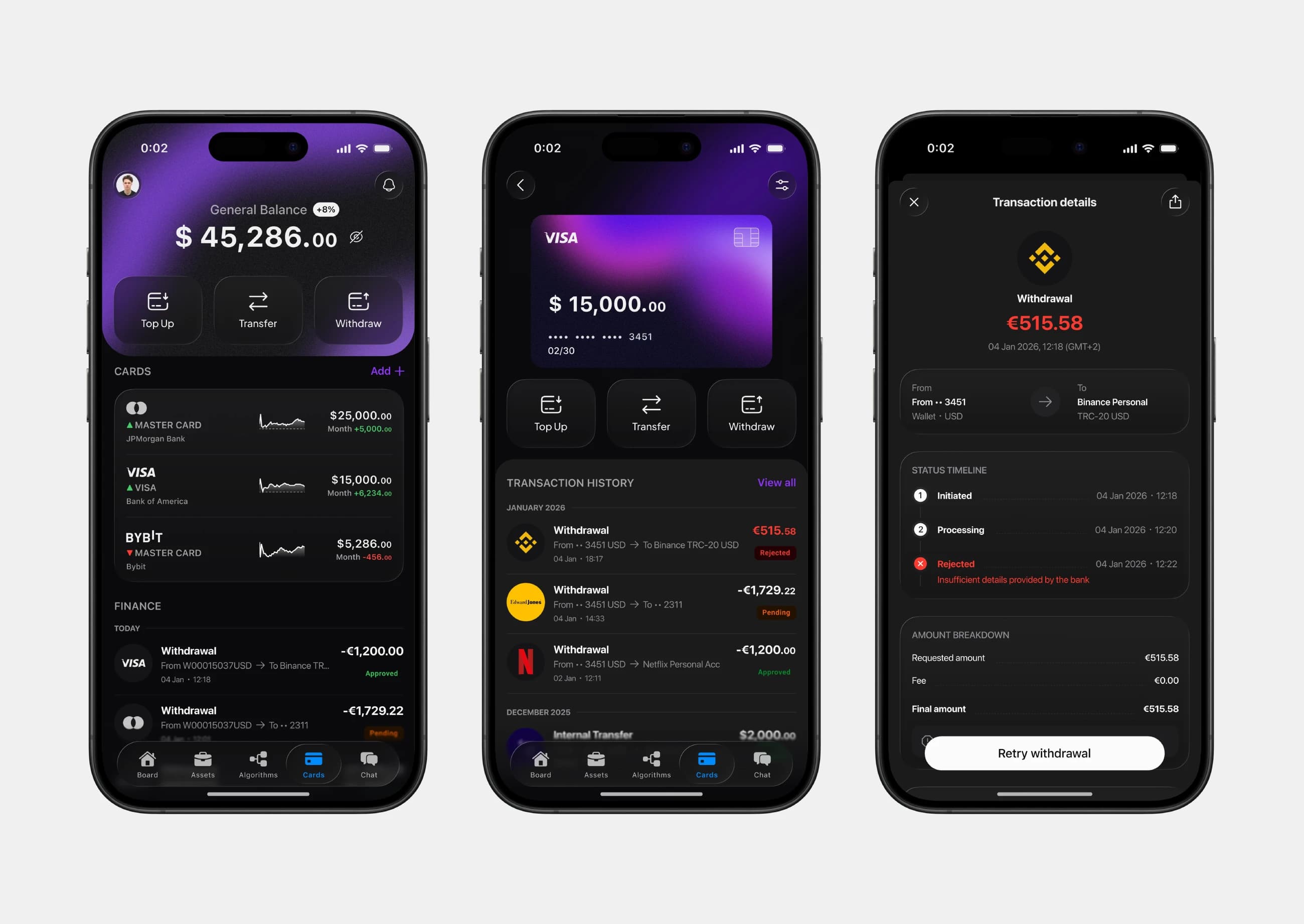
Cards was designed as a separate financial layer where users could connect cards from banks and crypto services, review their combined balance and manage transactions without switching between multiple applications.
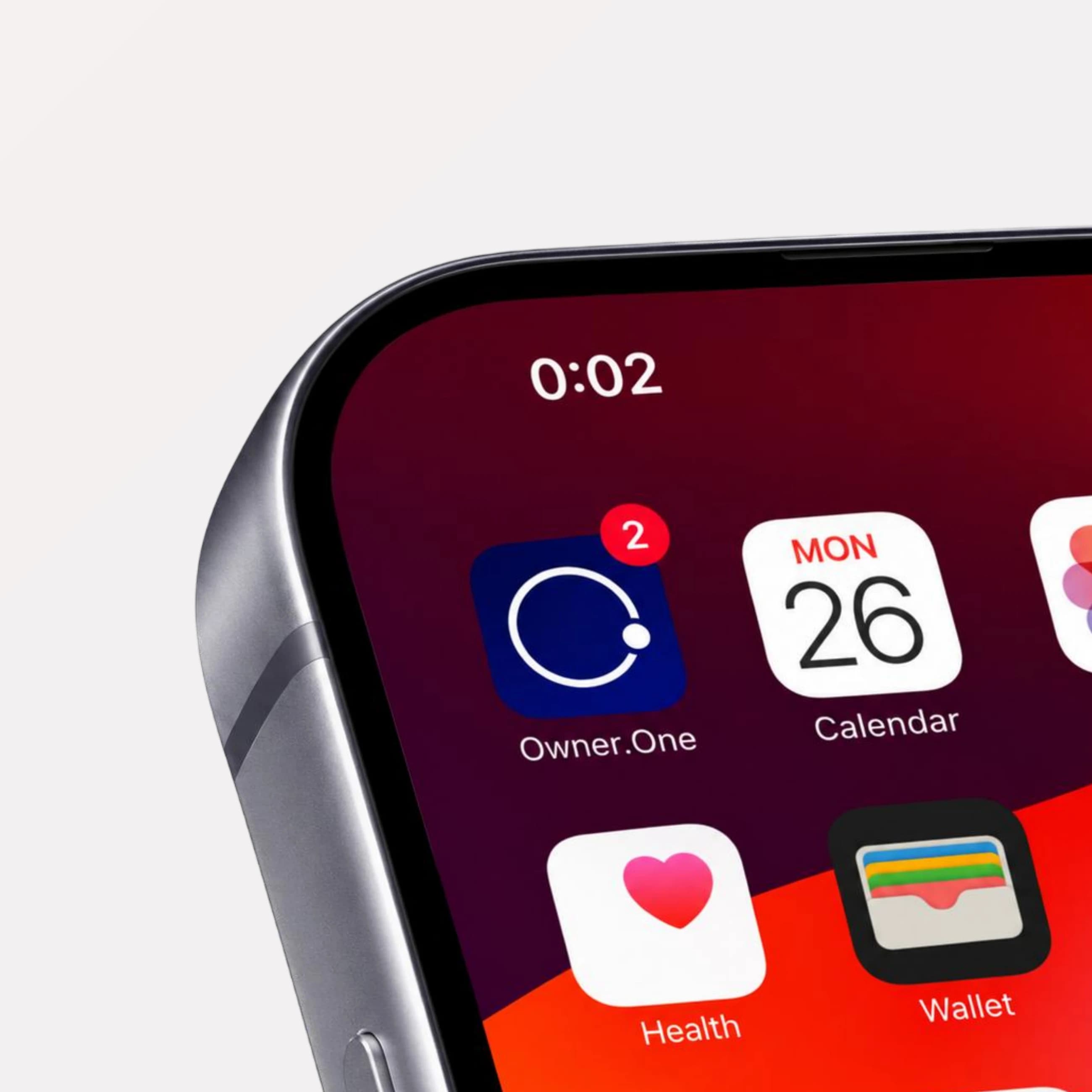
Managing cards across multiple financial apps created a fragmented experience.
High-net-worth users rely on multiple banks and financial services to manage their wealth. As a result, balances, cards, and transaction history are scattered across separate applications such as JPMorgan, Bank of America, and Bybit.
Users had to constantly switch between services to check balances, review activity, and understand their overall financial picture - creating friction and a fragmented experience that made financial management slower and more complex.
Problem: no single place to monitor cards, balances, and transactions across financial providers.
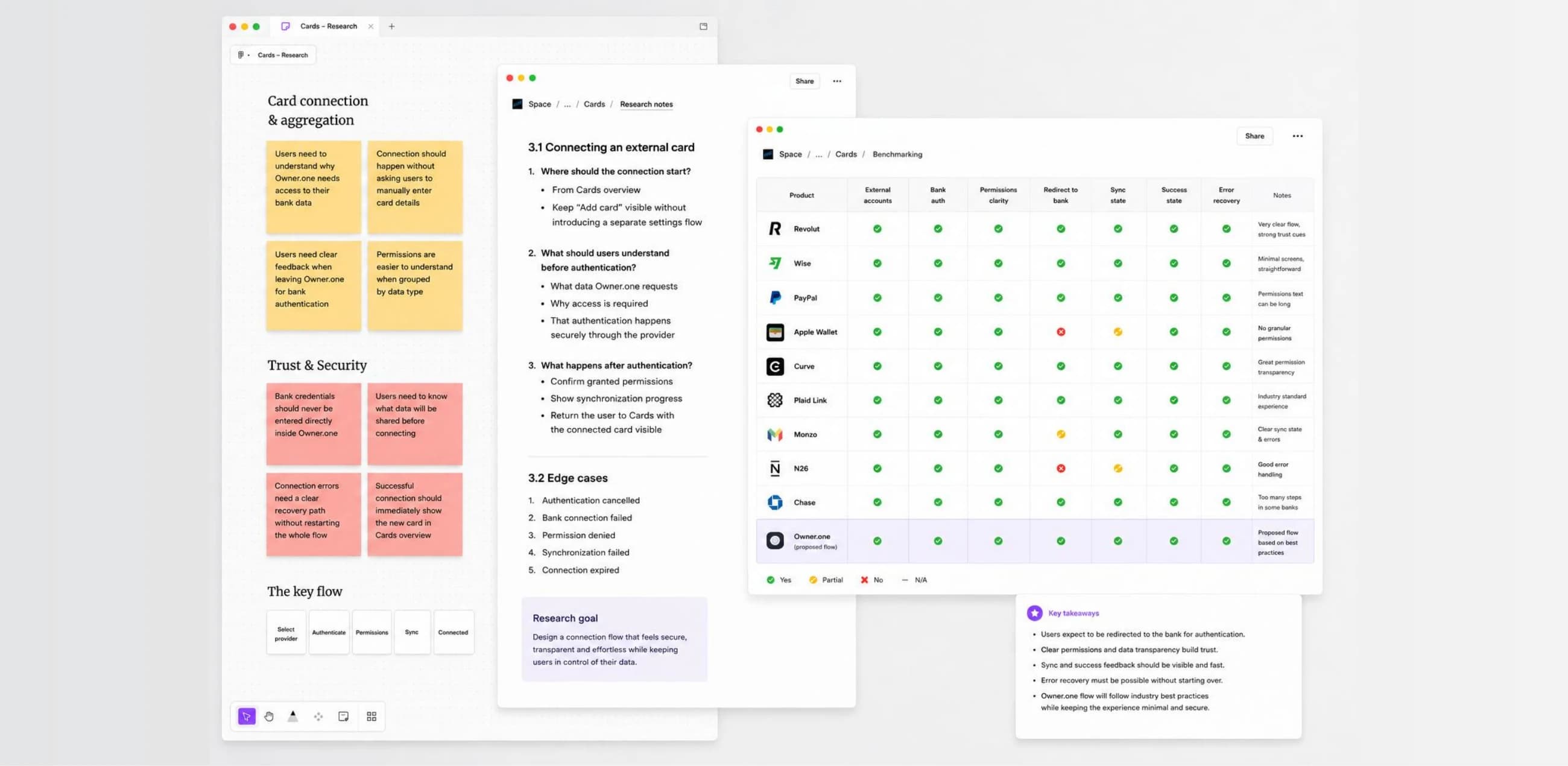
Before designing the connection flow, we analyzed how leading financial products connect external banks and cards. The goal was not to copy existing interfaces, but to understand which patterns make users feel confident when granting access to sensitive financial data.
Products reviewed
Industry standard for secure bank connections used by thousands of financial applications.
Users connect their financial provider instead of manually entering card information.
Open Banking platform focused on transparent consent and secure authentication.
Explain exactly what data will be shared before redirecting users to their bank.
European account aggregation platform.
Authentication should happen inside the user's bank while the product guides the journey before and after.
Mobile banking application.
Financial actions should always communicate progress, security and success through clear system feedback.
International payments platform.
Keep financial terminology simple and maintain consistent transaction language across the product.
Design principles
Connect a financial provider instead of manually adding a card.
Clearly explain what information Owner.one will access before authentication.
Redirect users to their trusted banking application for identity verification.
Allow users to choose which cards they want to connect.
Display clear progress during synchronization.
Confirm successful connection before returning users to their Cards dashboard.
Outcome
These findings became the foundation of the final connection journey. Instead of building a simple "Add card" screen, we designed a complete onboarding flow that explains every step, builds trust and creates a seamless transition between Owner.one and external financial providers.
Based on our benchmark, we designed a transparent connection flow that guides users through every step of linking an external financial provider to Owner.one.
The journey focuses on three principles:
Flow
Cards
Add card
Select provider
Permissions
Authentication
Choose cards
Syncing
Success
Cards overview
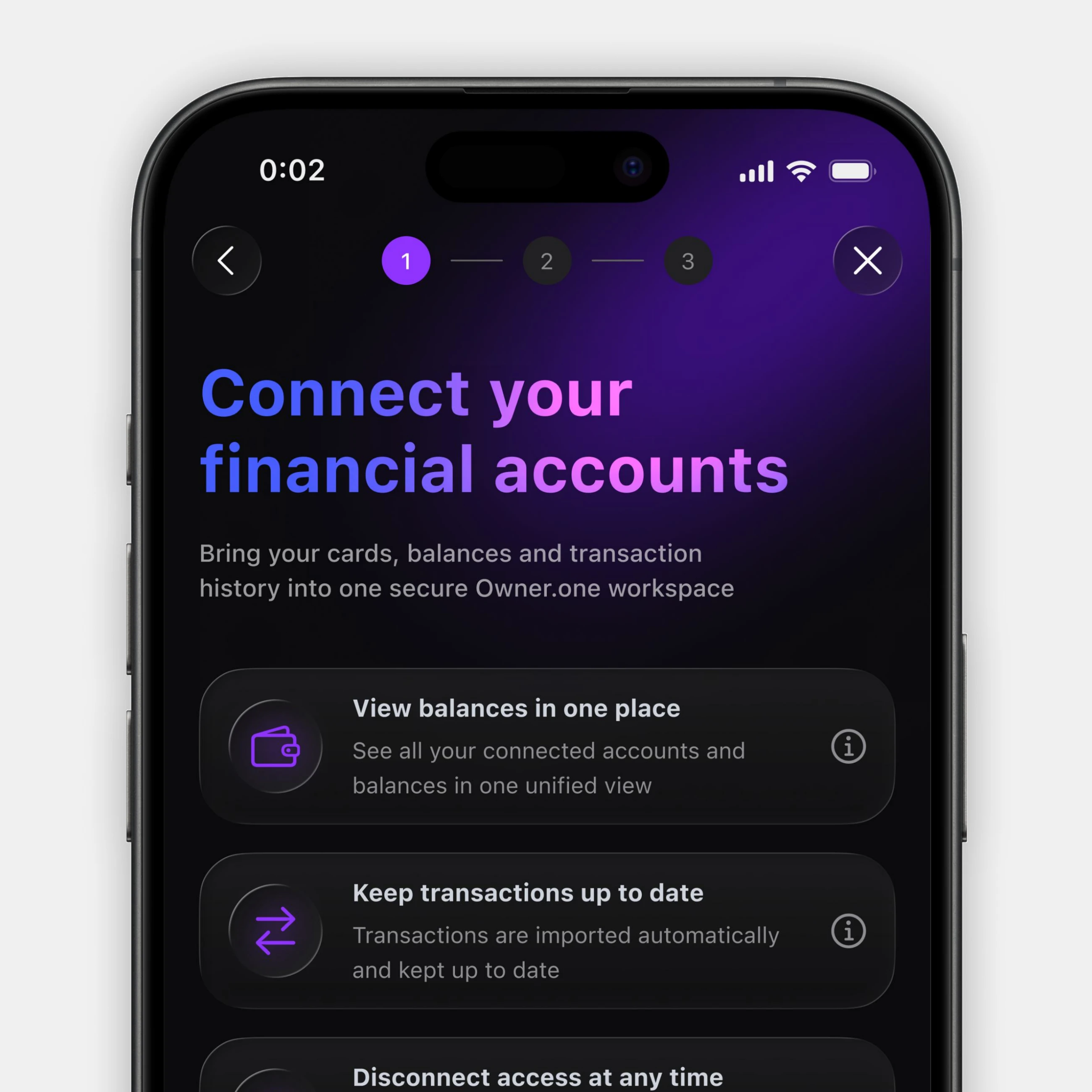
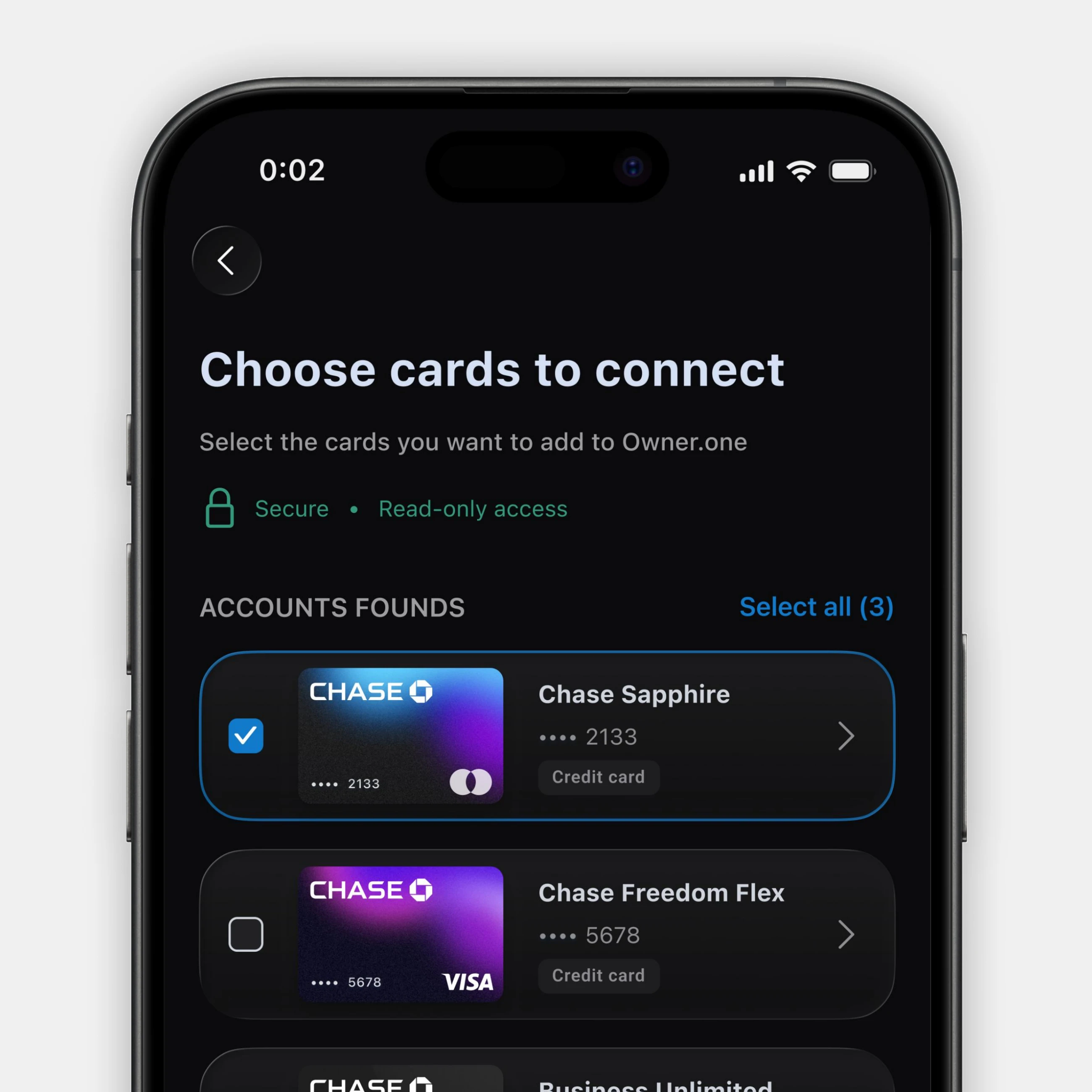
The happy path shows how users connect their cards when everything works as expected. Financial integrations also need to remain clear when provider availability, permissions, card eligibility or synchronization results change.
The cases below focus on high-impact user-facing states rather than a complete production error matrix. Final behavior would be refined together with provider API contracts, backend error codes, retry and timeout rules, session expiration, data freshness and analytics events.
Users may not find a provider because the search returns no match, the institution is not yet supported or new connections are temporarily unavailable.
Each state explains what happened and provides a relevant next step without leaving the user at a dead end.
Temporary provider unavailability. When a provider is temporarily unavailable, its status remains visible in the list and expands into a focused explanation. Existing connections remain unaffected, reducing uncertainty and helping users choose an alternative.
Search returns no matching financial institution.
The institution is not available in Owner.one yet.
New connections are paused while existing cards stay connected.
Card and account details are required to establish the connection, while balances and transaction history remain optional.
Inline feedback immediately explains which information will be unavailable, allowing users to make an informed decision before sharing financial data.
Balances and limits will not be imported.
Transaction history will not be imported.
Only required card and account details will be shared.
Not every card returned by a provider can be added. The interface distinguishes between selectable, selected, already connected and ineligible cards.
Selection counts and primary actions adapt to the cards users can actually connect, preventing duplicate connections and unavailable actions.
Continue stays unavailable until an eligible card is selected.
Connected and ineligible cards are excluded from selection.
No new cards can be added, so the user returns to the previous step.
The connection can end in full success, partial synchronization or complete failure.
Each result communicates what happened at card level and offers a clear recovery path: view the connected card, continue with successful cards, retry a failed synchronization or choose another provider.
All selected cards are connected and ready to view.
Two cards connected; one failed card can be retried.
No cards were added; the user can retry or choose another provider.
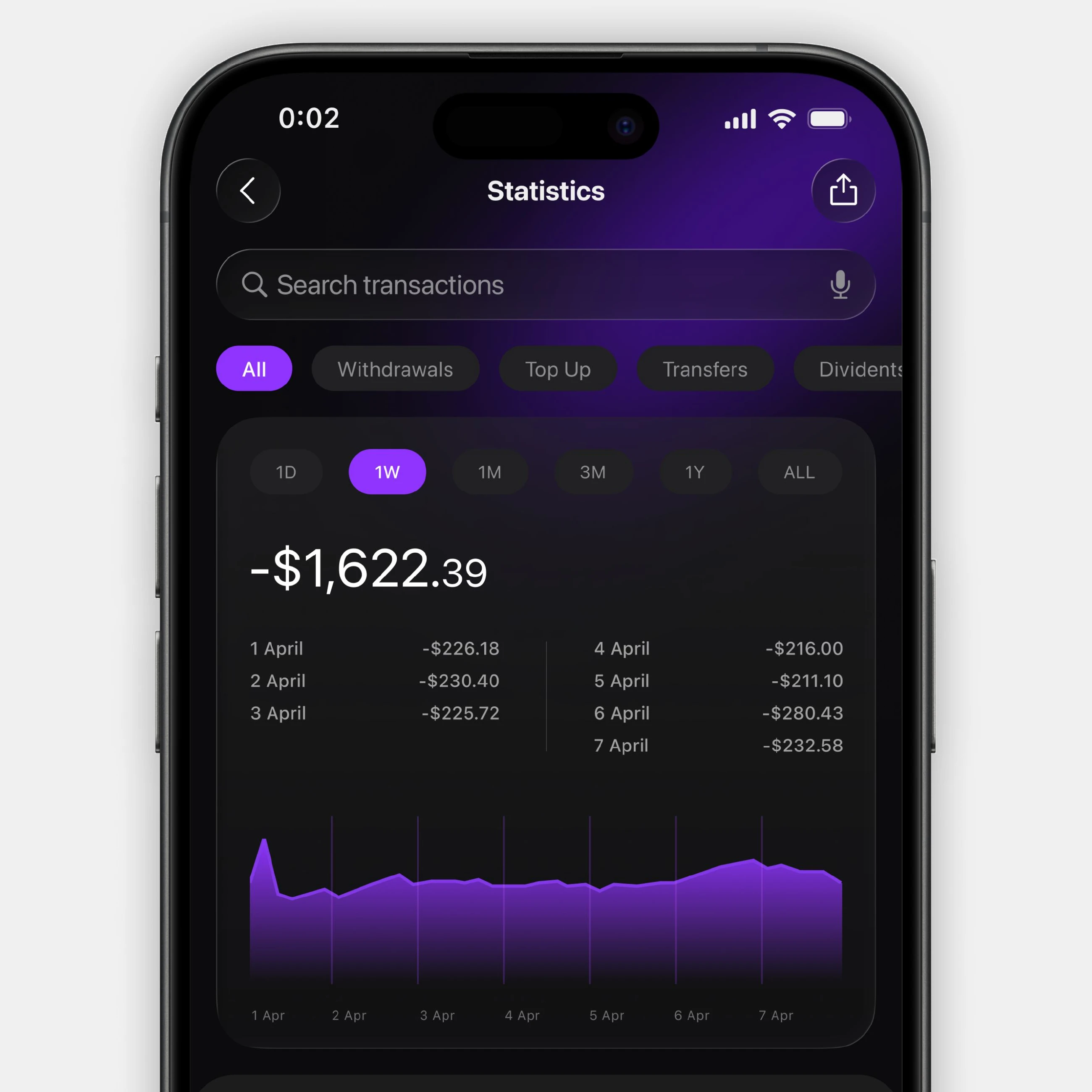
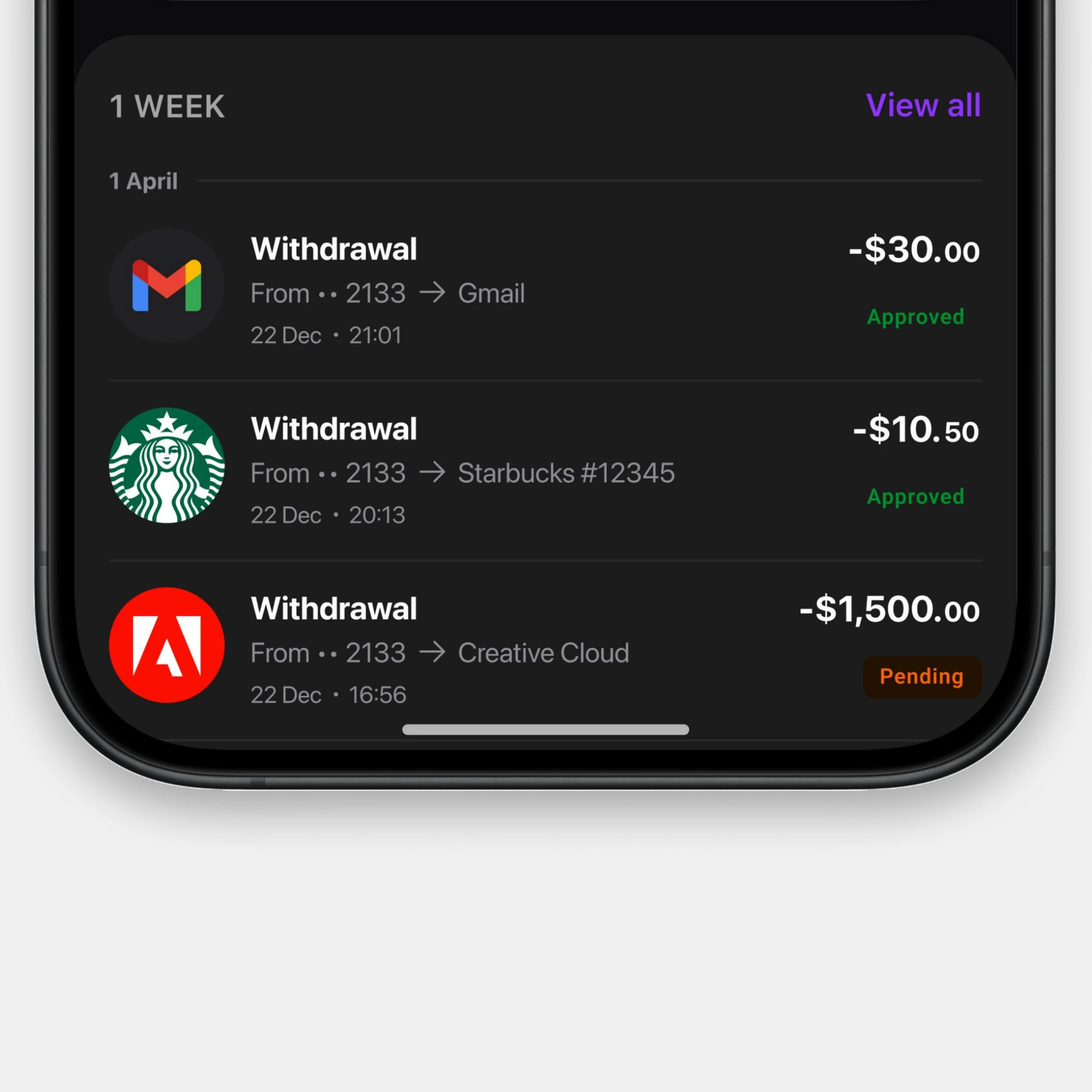
After connecting a financial provider, users return to a unified Cards space where they can review balances, explore transaction history and understand the status of each operation.
From overview to transaction details, the experience keeps financial information clear, structured and accessible in one place.